
ERP module
TICKETING
Your clients will thank you!
Code Dream ERP can be adapted to any business (sales or servicing of cars, watches, bicycles or any other devices, machines and appliances)
Code Dream: ERP software that makes it easier for a company to organise the internal side of its business and helps it work with clients more efficiently. Besides speeding up the business, it gives you remarkable precision and a clear overview of everything your company does.
Code Dream ERP adapts to every type of company.
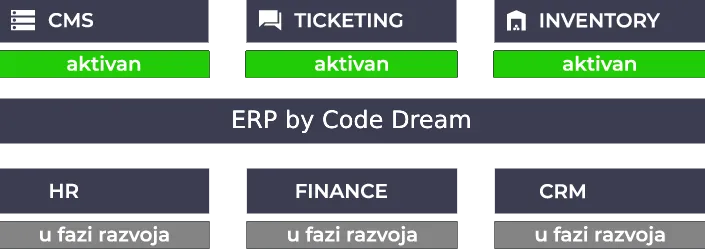
It consists of 6 modules, 3 of which are available now, while the other 3 are currently in development.
The Ticketing module eases and improves the efficiency of customer support work. It simplifies communication with the client and gives insight into tickets (clients’ requests for appliance servicing) and resource management. It consists of an administrator web application and a technician web application. Ticketing allows tickets to be created automatically (from a client’s e-mail request) or manually, by a company employee.
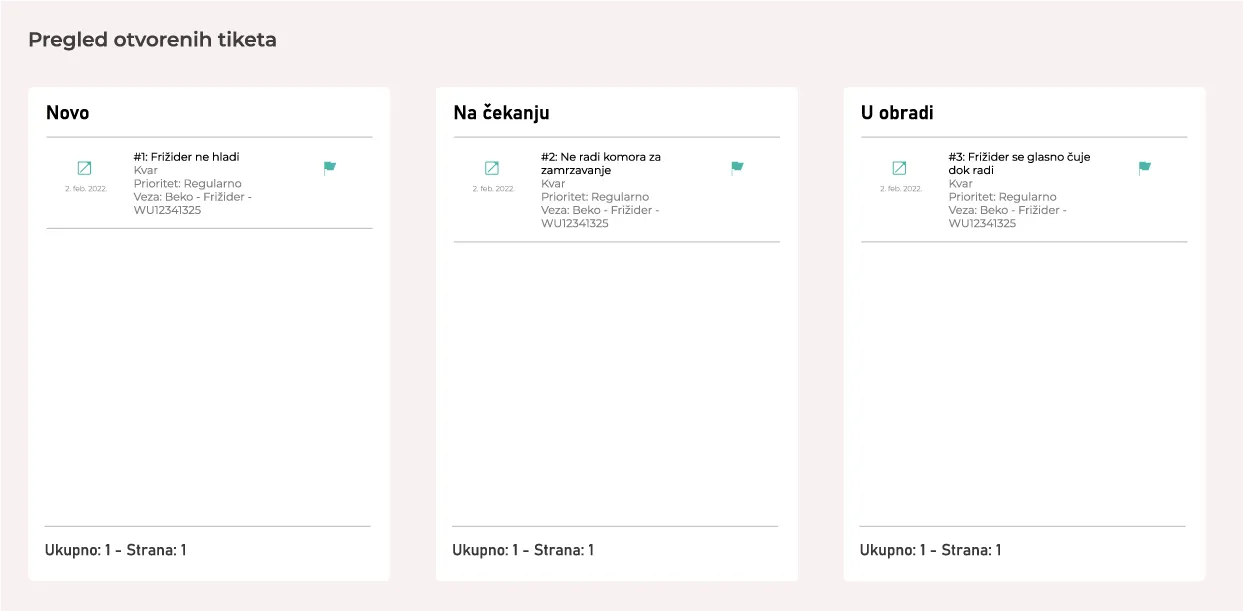
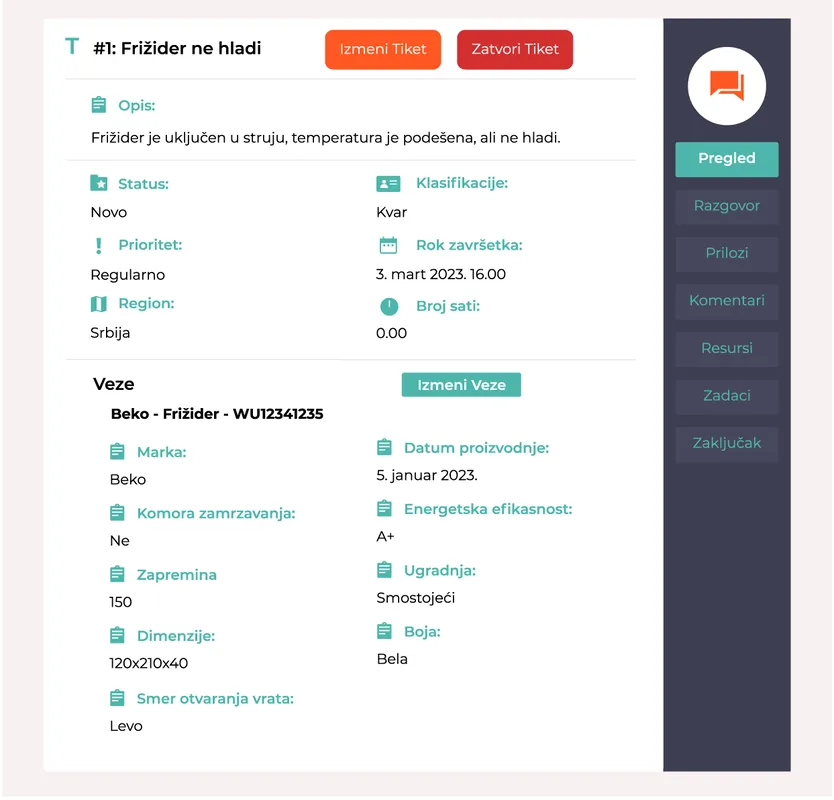
When you open a ticket you see all the information about the problem as well as the client’s requests. Through Ticketing the administrator can communicate with the client by e-mail, and has access to all previous communication and the attachments the client provided.
Besides the fault reported by the client, the administrator also sees the specification of the product in question, the one that needs repair, in other words the information a technician needs before going into the field.
On the right-hand side is the navigation bar with useful functions such as “Attachments” for sharing links, photos or text. “Resources” are used to assign technicians who will work on the open ticket, while the “Tasks” section represents technicians’ field visits. Every field visit for a repair means opening a new task.
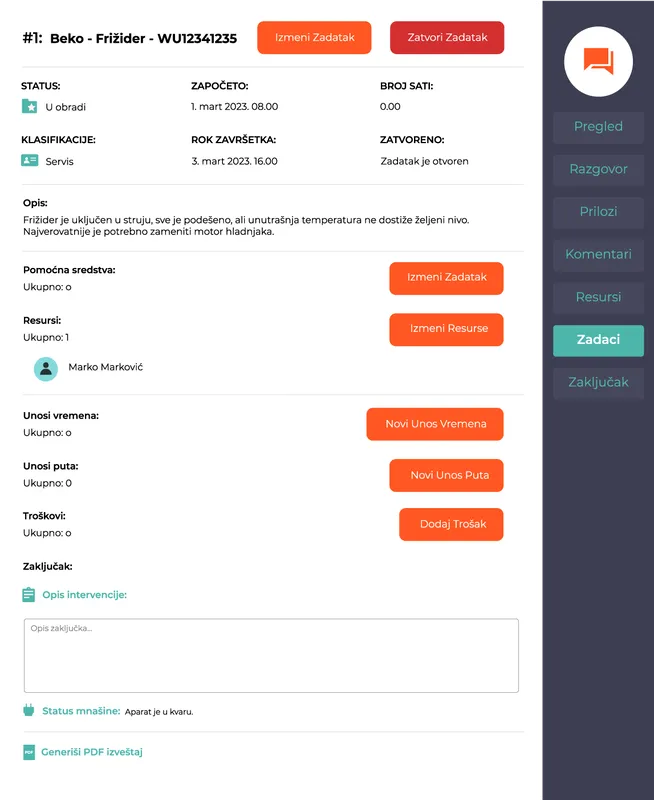
Once you have seen all the problems behind the ticket, you can immediately open the first task on that ticket. As we said, a task represents each field visit by your technicians.
It holds useful information such as the time work on the fault started, the deadline for completion, the number of working hours and so on. You can also add the consumables used (parts from the warehouse), resources (the technicians working on the task), the technicians’ working hours, the distance the technician travelled to reach the job site, and additional costs such as accommodation and food.
Finally you can add a conclusion, a description of how the intervention went, and Code Dream ERP will generate a PDF report on the task for you!
From the above we can conclude that, with our software, the process from the moment a fault occurs to the moment work on it is finished falls into 4 phases:
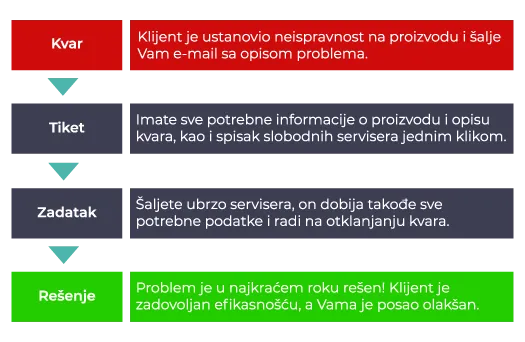
Considering that all the data, fault information, product specifications, your technicians’ availability, field-visit scheduling and more, is one click away, in a single piece of software, the whole process becomes immeasurably shorter and simpler.
Interested in working with us? Need a reliable, high-quality software solution?
Contact us