
Projects
PROJECTS
Software solutions used every day in corporate environments

TOP TECH WOODWORKING
TOP TECH WOODWORKING is the exclusive distributor and service provider for machines and equipment made by the Biesse S.p.A group, the leading Italian manufacturer of woodworking machinery, in the markets of Serbia (including Kosovo), Bosnia and Herzegovina and Montenegro.



Some of TOP TECH WOODWORKING’s clients
We talked to the client:
For a decade TOP TECH has been the dominant player in this part of Europe as the representative of the Italian Biesse S.p.A group, the leading Italian manufacturer of woodworking machinery.
Over those years they have built a base of more than 1000 clients and become a reliable partner to many successful companies in the trade. Everything the company does is aimed at maximum production output and the quality of the finish on their clients’ products. On the way to their constant, long-term goal of business excellence, they wanted to bring to their client relationships the same thing they offer in their products - more modern technology.
With that in mind, they turned to us with a mission: to give them an even more meticulous way of delivering their services.
Build an intuitive application for their clients, and an analytical one for ours.
The challenge:
With the wide range of services they provide and a large number of clients, it is crucial to be equally efficient in every respect. Classifying a large number of requests that have to be extremely precise calls for a template-based approach that makes the work easier on both sides and allows a better, faster response. Besides being interpreted by expert staff, the templates have to be clear enough for every client to fill in with confidence, without wondering whether they did everything right. Although both sides need the software for the same reason, the difference in how they use it is obvious.
Our solution:
To meet the needs of both sides, we built the solution around two modules: client and administrator. We designed a seamless exchange of information between the two and made the happy ending faster and better.
CLIENT MODULE
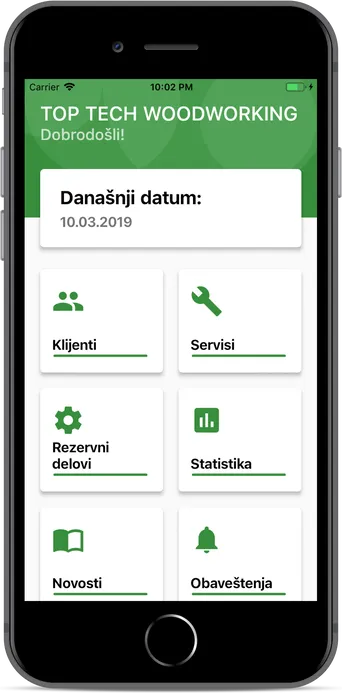
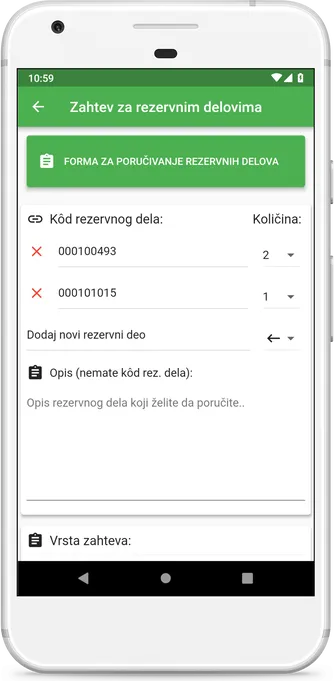
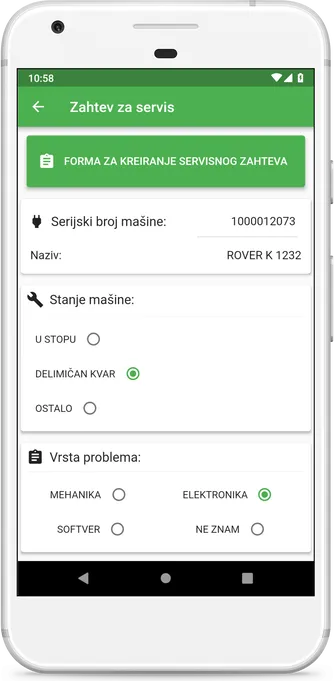
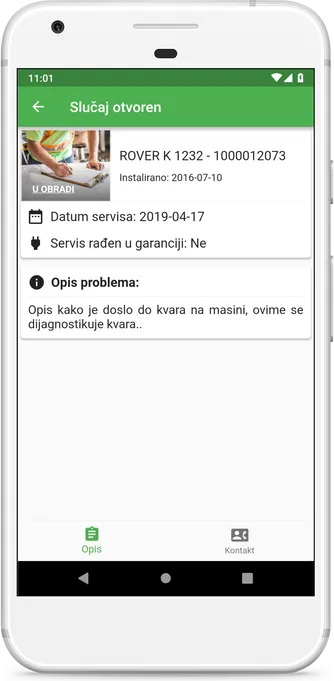
Clients get three main areas: service requests, spare-part requests and general support. The requests are designed to point the company clearly to the problem while giving clients an intuitive way to resolve it.
ADMINISTRATOR MODULE
The company needs this module above all to process client requests and keep an active list of them. The software handles the entire logistics of client relations and offers precise classification of services as well as a real-time activity list. Together, this makes a truly efficient method.
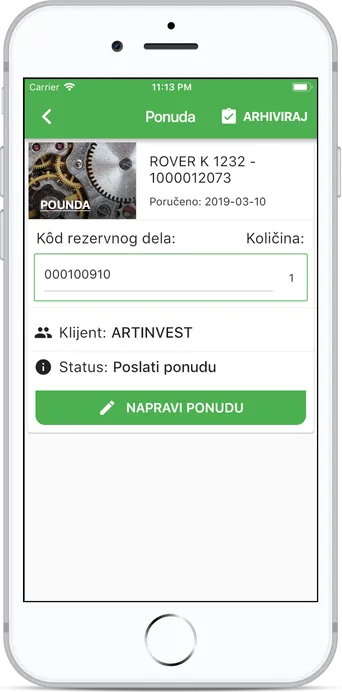
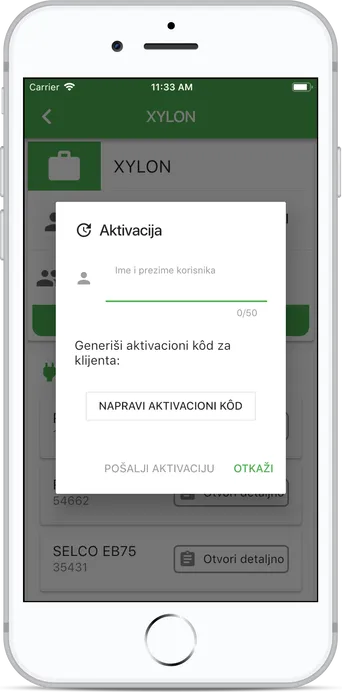
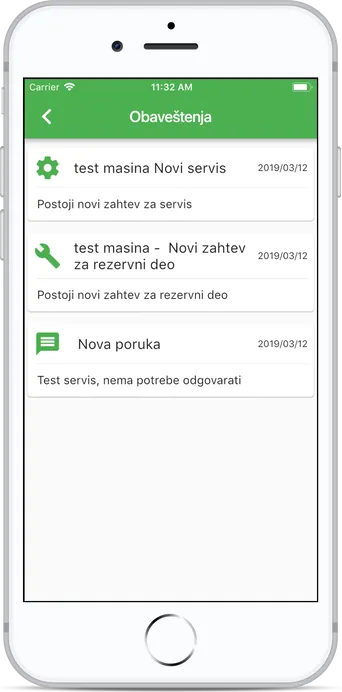
Great communication between client and service provider is incredibly neglected, and incredibly important.
Experience combined with ideas, applied by the Code Dream team, resulted in an application that has proven in practice to be an extremely productive tool, simple to use and available at any moment. For our clients the application brought greater success and productivity in carrying out their tasks, and for us great satisfaction, because thanks to this collaboration we realised a vision that raised our organisation to a higher level.

ART KOLOR - LAZAREVAC
Contractors for high-quality decorative, painting, plastering, installation and other interior and exterior works
We talked to the client:
By improving its own business processes, Art Kolor has established an excellent system for its core business. Now they want an application that every worker in the field can use. The goal is to carry out daily operations efficiently, with automatic reporting and sorting, and to speed up the flow of information.
How do you let a worker, and the whole company, focus on what they do best?
The challenge:
Analysing how the company works, we found that everything ran efficiently, quickly and at a satisfactory level of quality. The only room for improvement was in the part of the work that is not the core business but accompanies it: paperwork and reporting. Our task was therefore to create an internal, networked management tool that is intuitive yet offers scalability and personalisation.
The solution:
An application used every day for reporting from the field and reviewing projects and the people working on them. It has two modules: worker and administrator.
We enabled workers in the field to keep their own records, submit material requests and stay connected to head office through the platform. With such a system and a central database of accurate real-time data, various reports can be produced in just a few clicks, which makes analysis easier for the administrator and gives a clear, simple workspace. The company spends less time and the quality of work goes up.
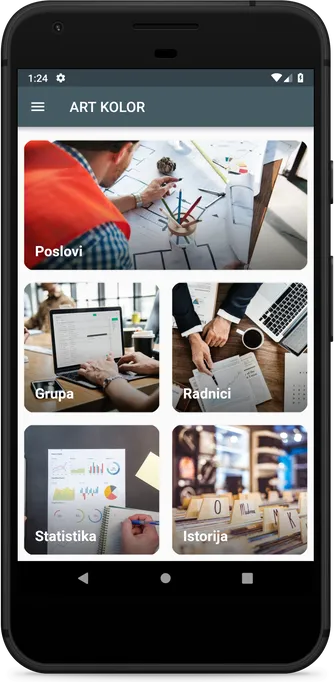
WORKER MODULE
The main part of the app for both users is Jobs. It holds the list of active jobs, where a worker checks in on arrival. Opening a project’s card, at the end of the day they submit a short report on materials used, add a note and check out.
Communication is the company’s internal communication network.
Notifications act as the company’s notice board.
Workers also have the Materials section for listing what a job needs.
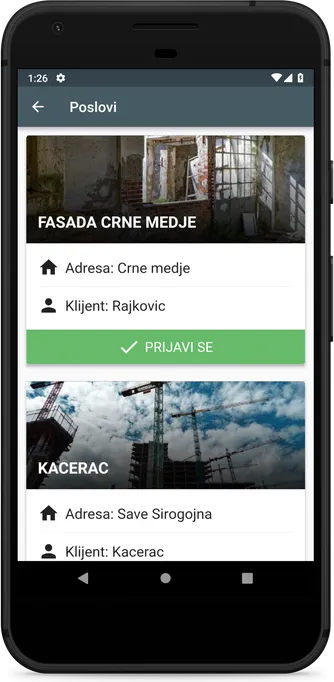
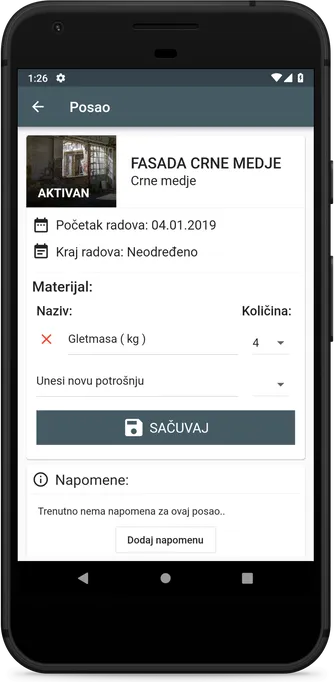
ADMINISTRATOR MODULE
Like the worker, the administrator has access to the Jobs module, but at a different level of information: the administrator also sees additional parameters and the workers. There is also a Map section with locations shown via Google Maps.
Group is the administrator’s entry point to the communication network.
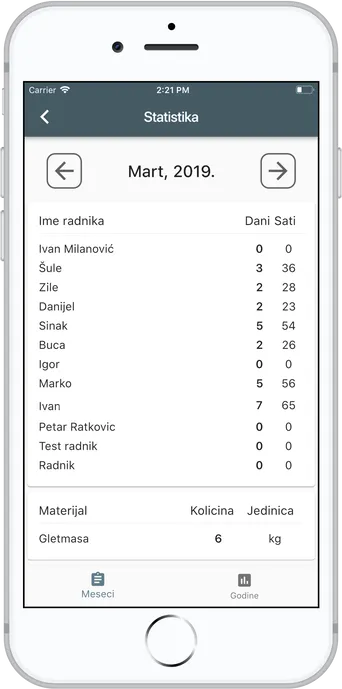
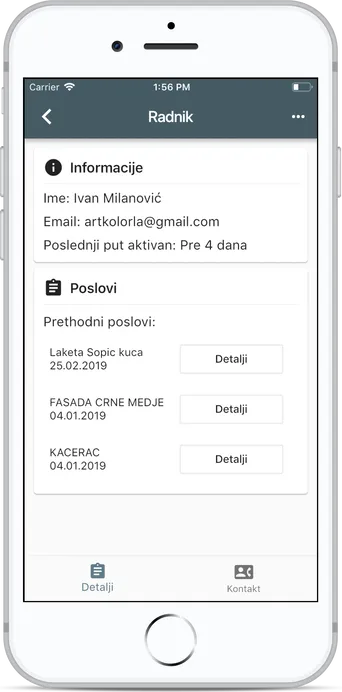
Workers holds basic information about employees, such as contact details, activity and job listings.
Statistics records every worker’s working days and hours, as well as materials used.
History is the database of all completed jobs with complete records.
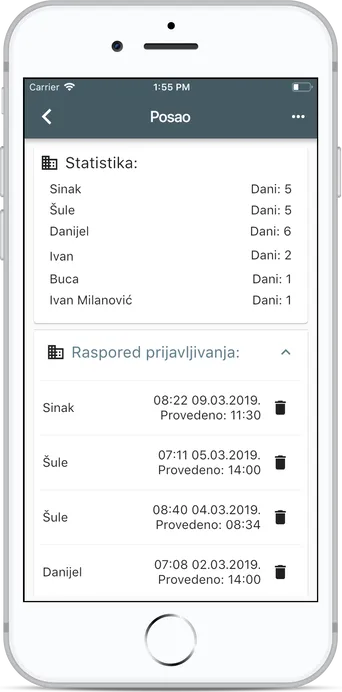
We built software that is a personal assistant to every member of the company, and to the company itself.
Excellent cooperation and a productive solution that contributes to our organisation every day.

XYLON
By following design trends, developing creativity and using the latest technology in furniture making, we strive to push boundaries. Every day is a challenge for us, because we strive to offer the best solutions and the best service.
We talked to the client:
As a company that keeps pace with innovation, Xylon constantly adopts new technology and new ways of working. They provide exterior services, from design through to production, and offer excellent creative and technical solutions. Now they want an application to organise those services for their clients, with the aim of clearly classifying the different requests and responding to them in the best and fastest way.
Put simply, they wanted a better way to manage products…
The challenge:
Their services are impeccable as they are, and the best way to support them is to build an internal management system. It should hold all the information and communication with suppliers and clients, as well as a real-time trail for each product, from ordering through delivery to the work carried out on site. To meet all these conditions, we designed the application to be equally useful to every type of employee who will use it.
Our solution:
From an intuitive exterior to a functional interior, we built a digital network for managing every process involved in delivering the services.
The software rounds off the business side of the company’s services and offers complete support while those activities are carried out, along with a central database of accurate real-time data. This makes the work of every app user across departments more effective and gives management a clearer plan for running their teams. The application significantly raises work efficiency.
How do you design a company’s internal management network?
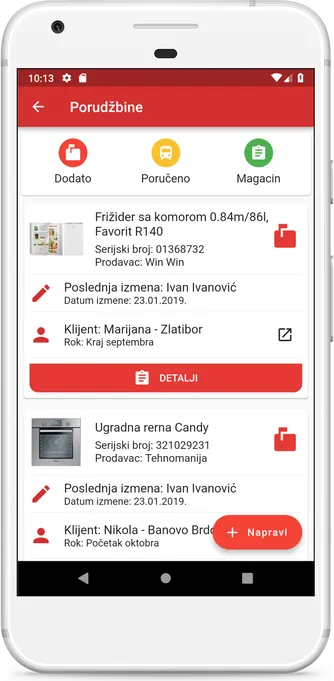
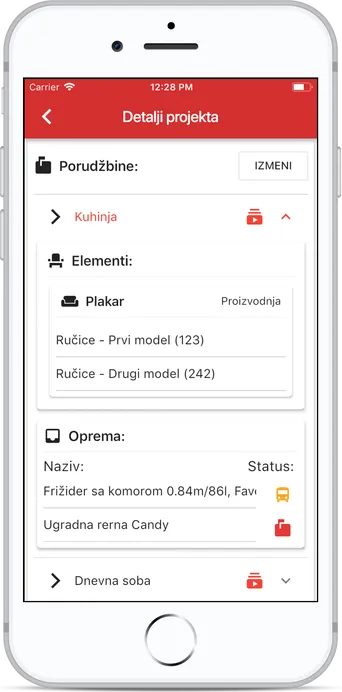
On the main screen we see all the cards, with notifications and settings as the basic tools for alerts and changes. The main part of the app is Orders and Projects.
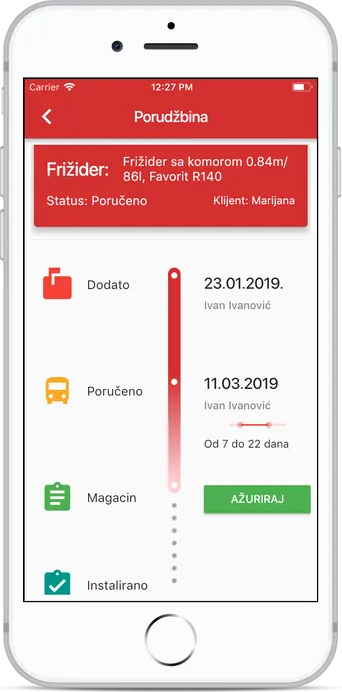
Orders is the list of orders under three filters – Added, Ordered and Warehouse – along with the exact stage each order is at and its completion time.
Projects holds detailed project information backed by its orders, with almost all the data about the related project.
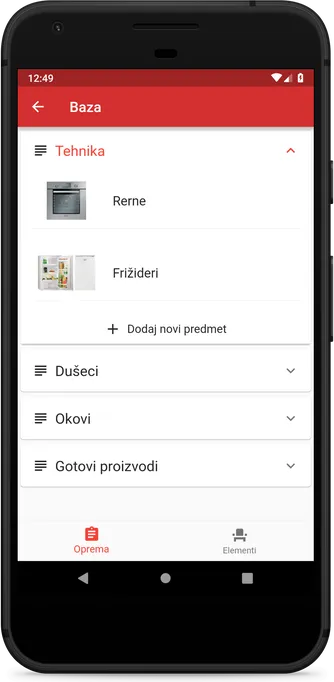
Database and Clients are the historical record of the company’s products and clients.
Notifications is the notice board, and Settings the basic tool for fine-tuning the app.
We built something of a digital manager for the company.
Interested in working with us? Need a reliable, high-quality software solution?
Contact us