
ERP module
INVENTORY
Transparency is half the business.
Code Dream ERP can be adapted to any business (sales or servicing of cars, watches, bicycles or any other devices, machines and appliances)
The purpose of the Inventory module is simpler and more transparent management of purchasing and sales. Inside it you can keep detailed records of all your purchases and sales, as well as your business partners, both vendors and customers.
The module has 5 sections: Purchase Orders, Sales Orders, Items (the spare-parts warehouse), Vendors and Customers.
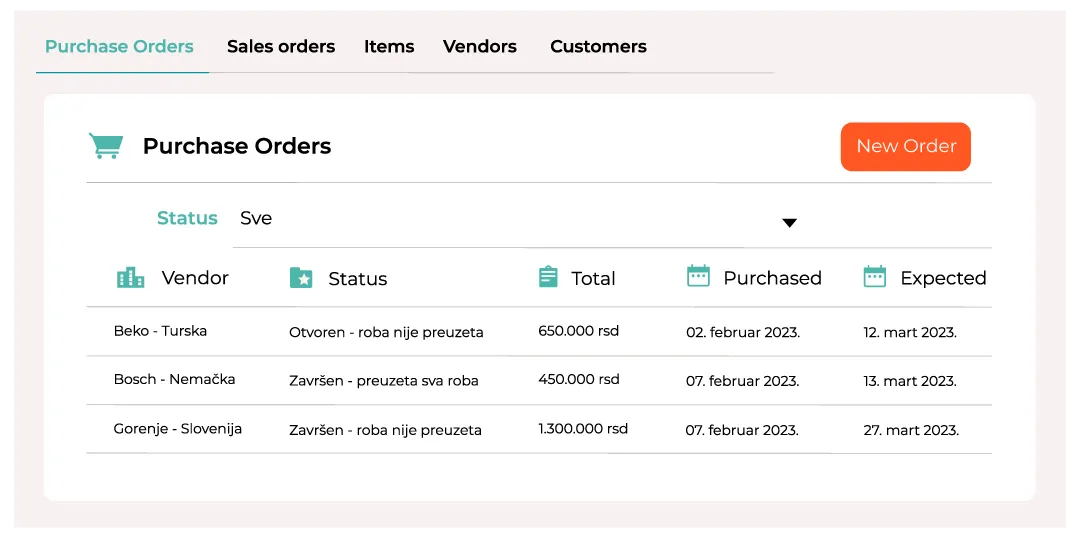
To review your purchases, open the “Purchase Orders” section, where you can see the list of purchases, the purchase status (whether the goods have been received or not), the total purchase price, the purchase date and the expected delivery date.
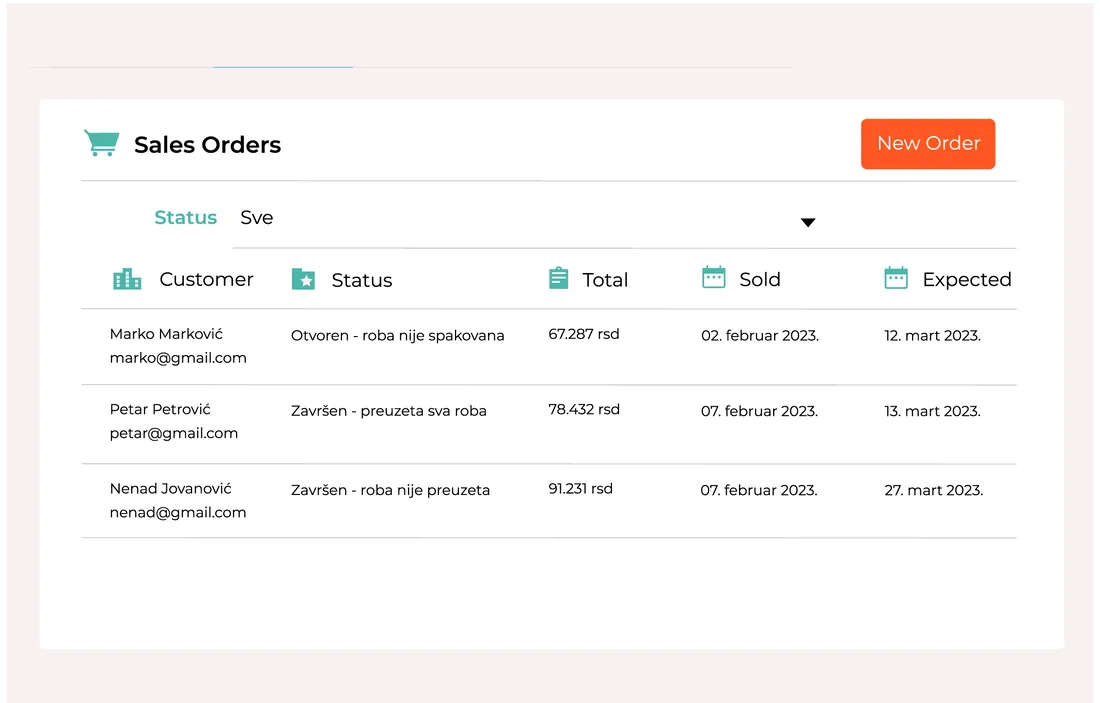
Just as you can see all your purchases, you also have insight into all the sales you have made. In the “Sales Orders” section you get a similar list to the previous one, this time showing the customer’s name, shipment status, total shipment value, sale date and the expected date of arrival at the customer.
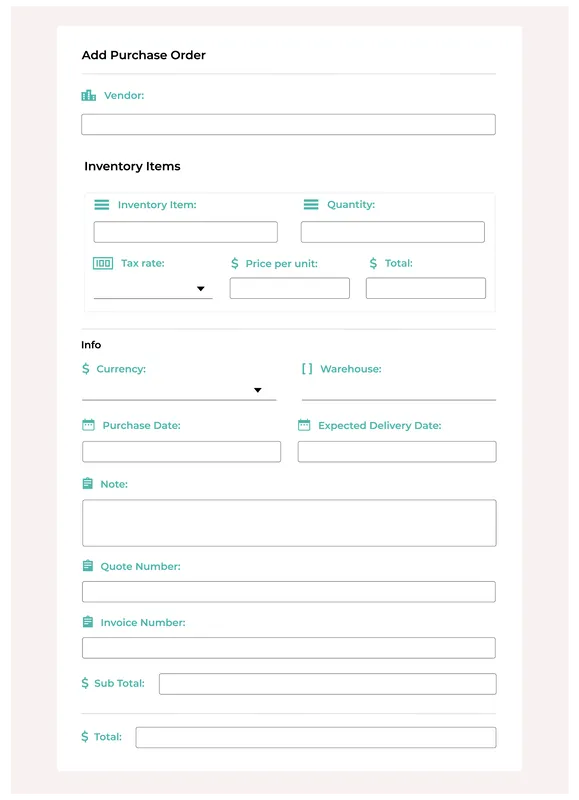
The next image shows the form for recording a purchase. It contains all the information needed to make the record detailed and useful. The software can even calculate the price including tax for you. If you have two or more warehouses, you can choose which warehouse the incoming goods should go to.
Sales are recorded with the exact same form; you only need to switch to the “Sales Orders” section.
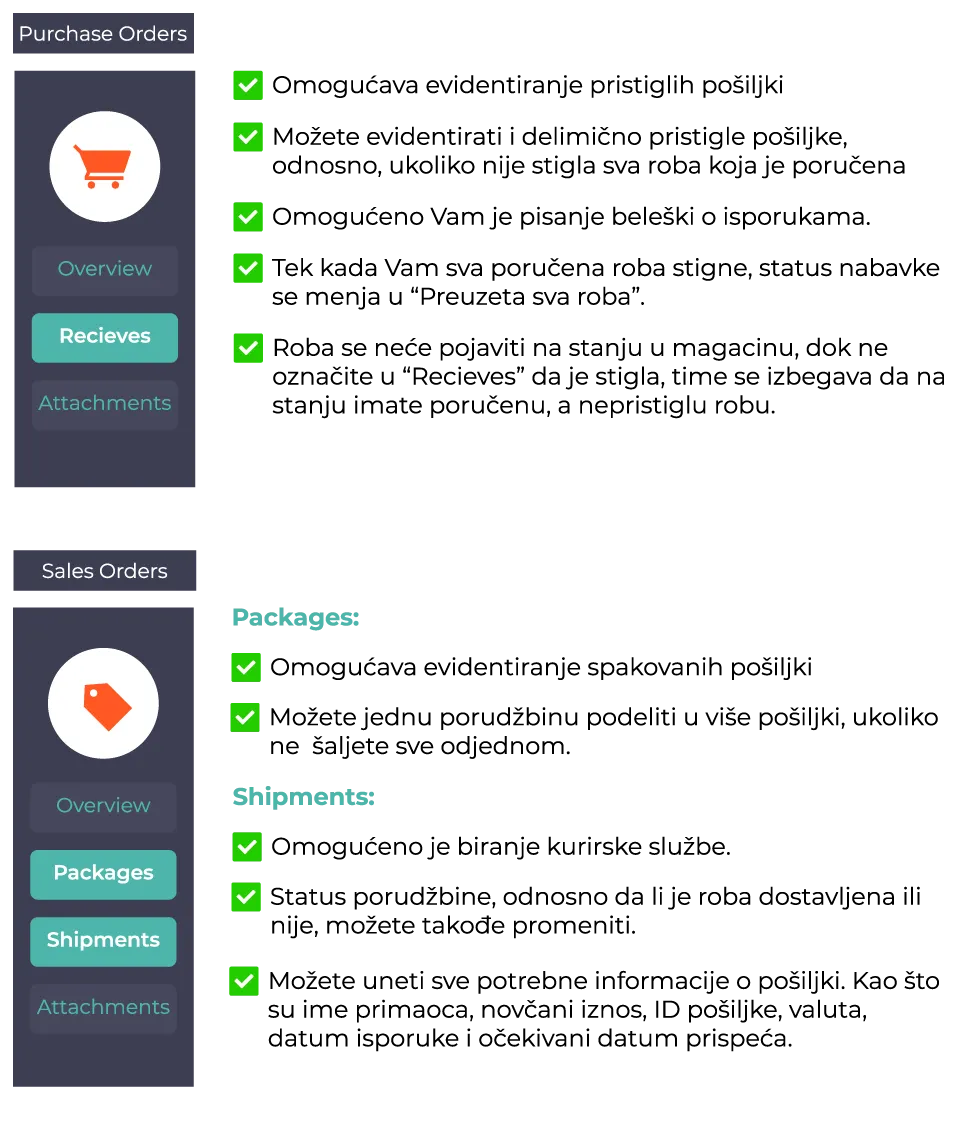
When you open a particular purchase or sale, the navigation bar on the right offers “Recieves” for Purchase Orders and “Packages” and “Shipments” for Sales Orders. Their purpose is even more detailed recording and tracking of these processes.
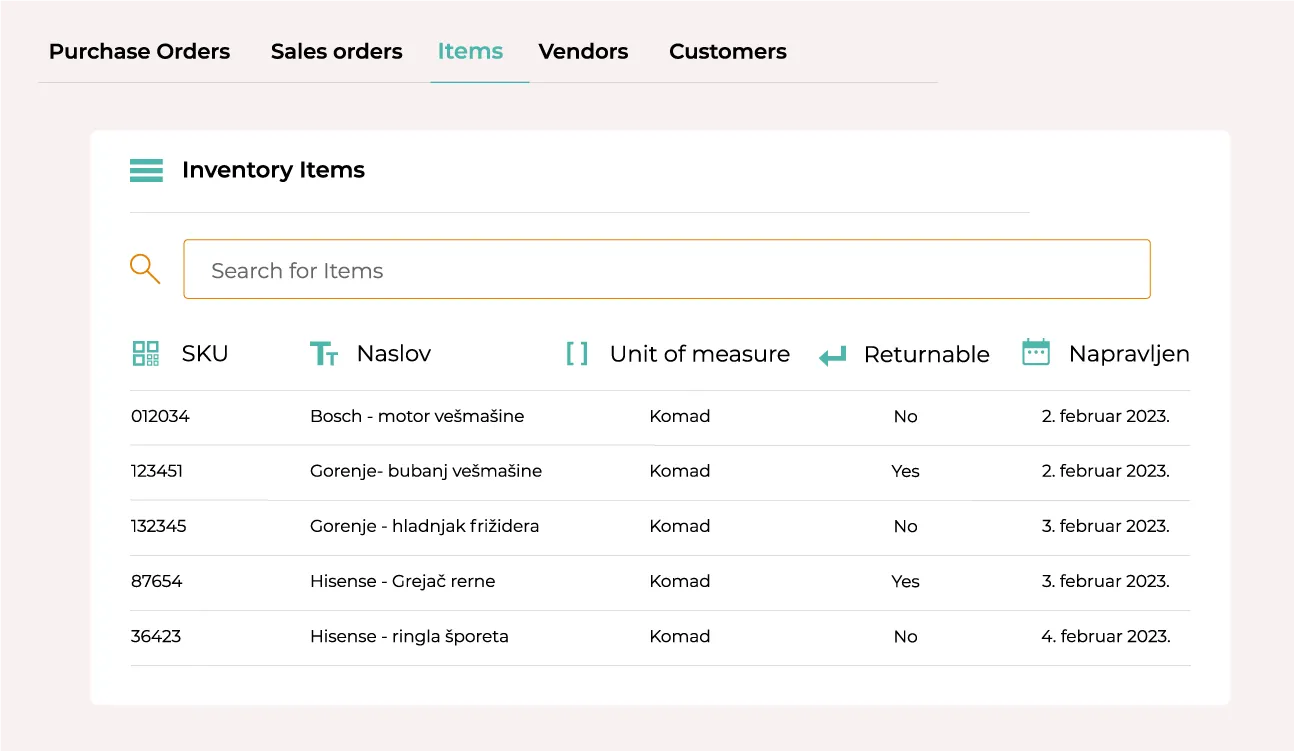
The Inventory Items section is an online warehouse for all products. It shows the product’s serial number and unit of measure, that is, whether it is measured in pieces, metres, kilograms or some other unit, whether the product can be returned, and the date it was added to the warehouse.
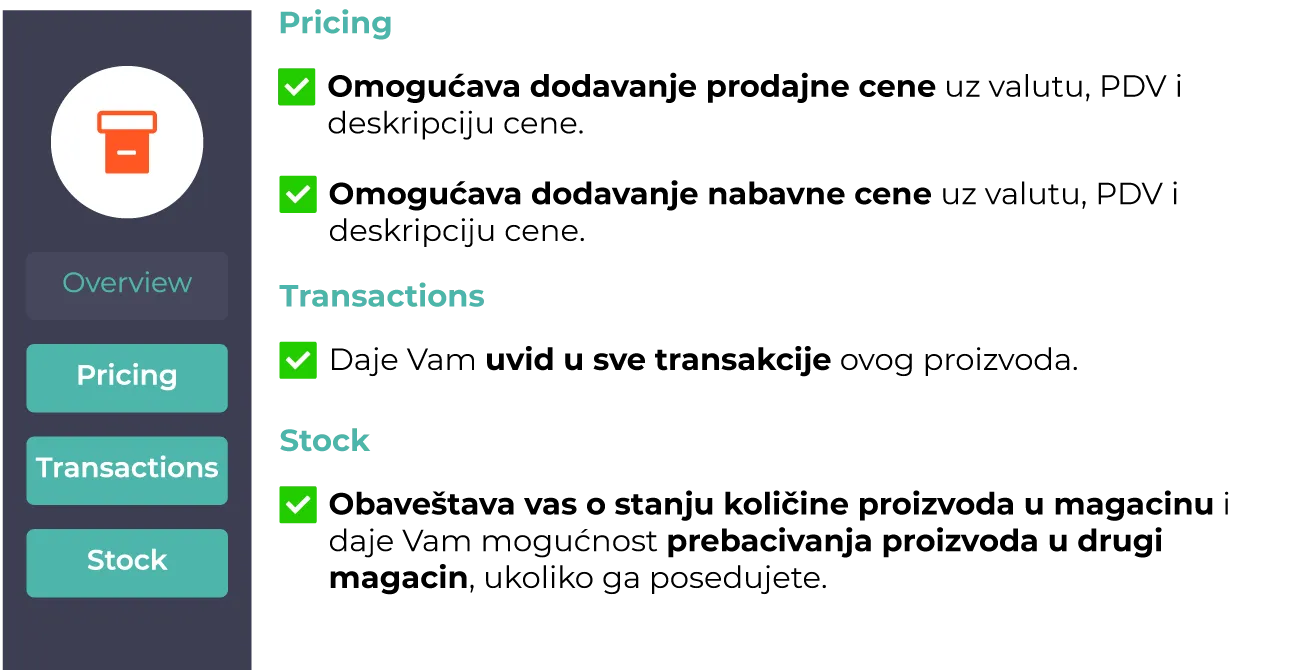
That is not all you can manage for your items, though. When you open an item you get the “Pricing”, “Transactions” and “Stock” options.
Interested in working with us? Need a reliable, high-quality software solution?
Contact us